Allo: video calls inside Telegram, and what the waiting screen taught me
A pet project with one teammate, about ten users, and one screen that carried the product
· 3 min read · Nikita Miezhenski
In 2025 Russia started blocking calls in Telegram, while Telegram itself kept working. People still talked in Telegram all day, but a call meant moving to another app. With a full-stack teammate, I made Allo: a Telegram mini app for one-to-one video calls. You start a call, drop the link into the chat, and the other person joins without leaving Telegram. We launched it in the winter of 2025–2026, and about ten people used it, most of them friends. Ten users is friends trying it, not traction, and this note is about the design, not the numbers.
The brand
I drew the logo, an “a” made of arcs like a signal, set the name in lowercase and gave it the line “Always connected”. The interface is a dark navy with one blue for actions and red for ending the call. My part was the idea, the brand and the interface; my teammate wrote the code.
The call
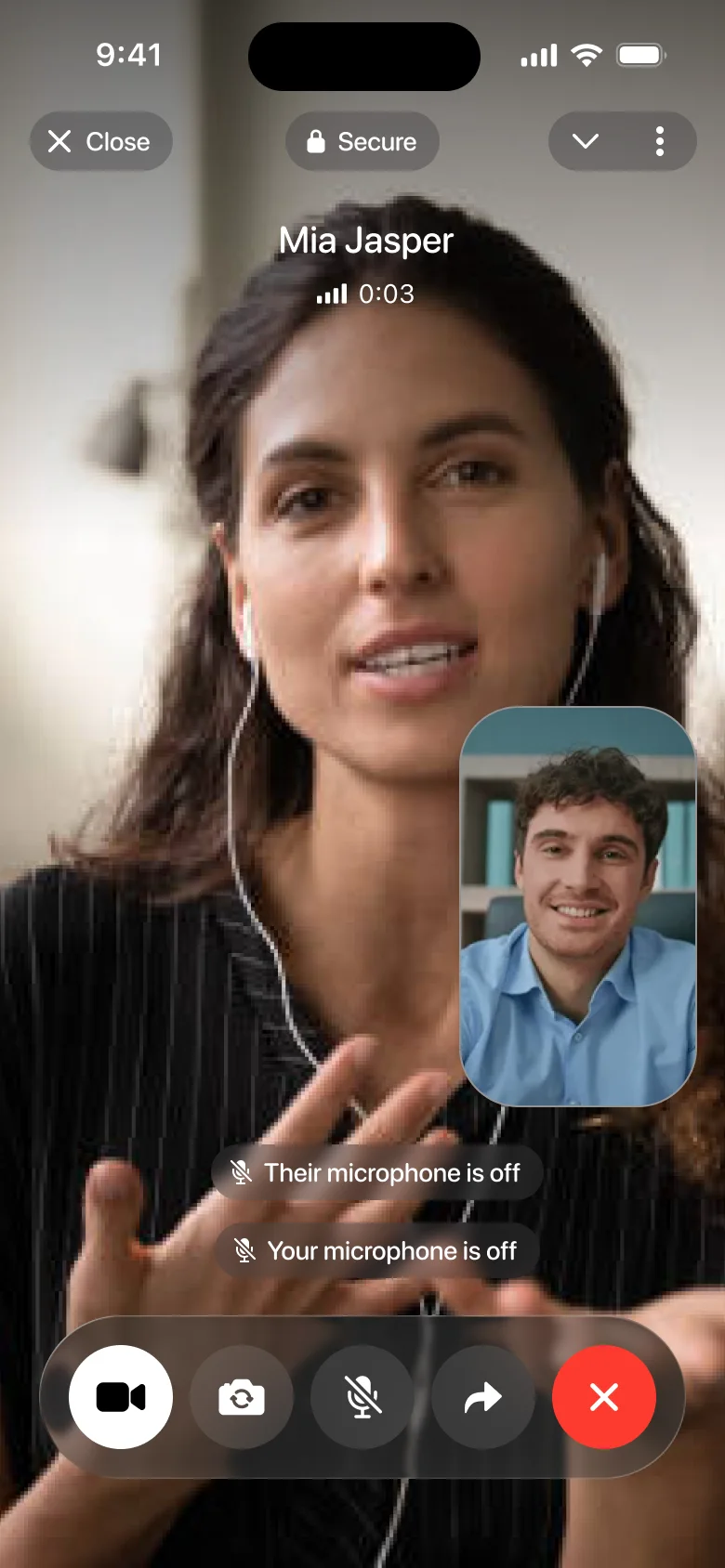
Until the other person joins, the screen says so, and a tooltip points to the share button. Then it shows the name, the signal and a timer. On a weak network the bars dim and the line under the name reads “Unstable connection”. The controls sit in one bar at the bottom: camera, flip camera, microphone, share and end. When either microphone is off, a caption says whose. With video, the other person fills the screen and your own picture sits in a corner.
When the call ends, the screen keeps the name and the duration. If a third person opens the same link, the call is already taken, and they can start their own. The same call works on a desktop, with the controls and your own picture along the bottom.
Until the other person joins, nothing else matters.
The waiting screen carries the product
In a product that lives on a link, the first screen most people see is the one where nobody else has arrived yet. If it looks broken, the call never happens. So the waiting screen says what is going on and points at the one thing to do: share the link. Everything I designed after it, the signal bars, the captions, the taken-call screen, only matters once two people are on the call. That is the order I’d design in again: the empty state first, the happy path second.